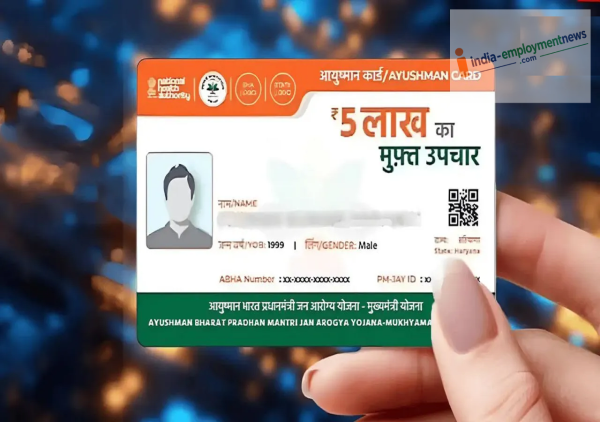
Ayushman Card News: Ayushman Bharat PM-JAY beneficiaries can complete their e-KYC using Aadhaar. In eligible cases, self-verification is possible via the Ayushman mobile app, allowing information to be updated and the card processing to move forward.
Ayushman Card e-KYC News: If you are an Ayushman Bharat PM-JAY beneficiary and have not yet completed your e-KYC, do not overlook this. A facility has been provided for many beneficiaries to complete the e-KYC process digitally using Aadhaar. The National Health Authority (NHA) has announced via a post on X (formerly Twitter) that, in certain cases, beneficiaries can perform e-KYC themselves from the comfort of their homes using the Ayushman mobile app. This eliminates the need to visit a CSC center or hospital every time. Let us look at the process for completing e-KYC via mobile.
Complete e-KYC from home using your mobile
According to the NHA's post, eligible beneficiaries can perform e-KYC themselves through the Ayushman app. Typically, this involves logging in with a mobile number and entering necessary details such as state, scheme, and district. You can then search for your name or that of a family member in the beneficiary list and complete the e-KYC process.
How to complete Ayushman Card e-KYC via mobile?
First, download the official Ayushman App on your mobile.
Open the app and navigate to the 'Beneficiary' option.
Enter your mobile number and log in using the OTP.
Next, select your State, the PM-JAY Scheme, and your District.
Now, search for your name in the beneficiary list using your Aadhaar number, ration card number, or Family ID.
Click on the 'e-KYC' or 'Redo e-KYC' option next to the family member whose e-KYC is pending.
Verify your identity using Aadhaar OTP or the available Face Authentication option.
Provide the required live photo and any other necessary information.
After reviewing all details, submit the e-KYC form.
How to download the Ayushman Card?
Once the e-KYC process is complete, your details will be verified. Upon successful completion, your beneficiary status will appear as 'Approved'. You can then download the digital Ayushman card by selecting the 'Download Card' option next to the relevant member's name. You can save the downloaded card as a PDF on your mobile phone for easy access whenever needed.
Follow these steps to redo e-KYC:
Select the 'e-KYC' or 'Redo e-KYC' option in the Ayushman App.
Log in using your registered mobile number.
Search for the beneficiary using the State and Family ID or Aadhaar number.
Select the relevant member's name and verify their identity.
Capture a live photo and submit the required information.
Download the new Ayushman card once it becomes available after successful e-KYC.
Why is Ayushman card e-KYC important?
Completing the Ayushman card e-KYC is crucial. It verifies your identity and details related to the scheme. A key benefit is that it keeps your information updated in the scheme's records. Therefore, if your name is on the Ayushman Bharat PM-JAY beneficiary list but your e-KYC is pending, it is essential to complete it promptly through the official channels. Once the e-KYC is finished, you can download the digital Ayushman card.
Seek assistance here if you face any issues:
For information regarding e-KYC or the Ayushman scheme, contact the helpline number 14555 to resolve any issues.
Contact to : xlf550402@gmail.com
Copyright © boyuanhulian 2020 - 2023. All Right Reserved.